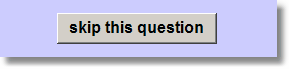
Here is one example.

- Support Home
- |
- You
- |
- New?
- |
- Search
- |
- Google Search
- |
- Empirisoft
- |
- Register
 Junior Member

Here is one example.
Blair Jarvis, Administrator

Hmm.. I don't see any fill in the blank questions in this questionnaire--am I missing something?
Junior Member
Jeez. No wonder this didn't make sense to anyone. I meant to say the buttons for scale response, not FIB. So sorry about the confusion.
Thanks,
Jon
Blair Jarvis, Administrator
Ahhhhh..
OK, try this (from the section on labels in the user's guide or online at:
www.empirisoft.com/medialab/help/quetextlabels.htm). In your case you would only need to use the width parameter.
Advanced Hints
...
If you want to adjust the size of the button you can add height and width parameters--again to the text label. In the example above, if we wanted to resize the button as well as relocating it, we could modify it like this: "skip this question (t.7,l.7,w.2)". This would produce the same result as above except the label would be 20% of the screen width.
Finally, if you want to place the text label within the button itself, then simply put the text label in the button label field and leave the parameters in the text label field, like this:
Last edited by jarvis24; 06-18-2007 at 02:54 PM.
 Posting Permissions

 Reply With Quote