QuickInfo
The Back column in the Style Editor refers to the screen color upon which text and images are drawn. Double-click to select color from the Windows color dialog.
Values
Any integer value in the range of 0 (Black) to 16777215 (White)
Hints
In the Style Editor, when you double-click on the "Back" field, you will pull up the windows color dialog.
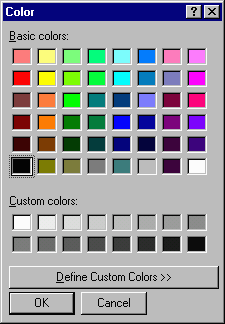
You can select one of the predefined colors and then click the "OK" button. DirectRT will enter the appropriate color code in the "Back" color column for you. If you need or desire more selection you can choose from the full range of colors available by selecting "Define Custom Color." This will pull up the custom color dialog window:
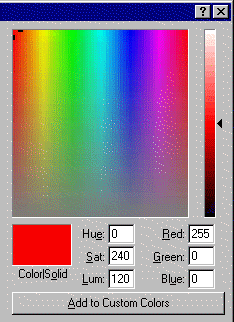
In this window you can click anywhere on the color spectrum to choose a color. If you first click on one of the standard colors (above) this will give you a starting point from which you can adjust. Either way, click "OK" when you're done to enter the color code. If you think you'll use the color again you can click, "Add to Custom Colors" so that it will be available for you as a standard "custom" color in the future.
Note that if you like a color but it's too dark or too light it's easy to adjust this using the slider on the right hand side of the custom color dialog.